
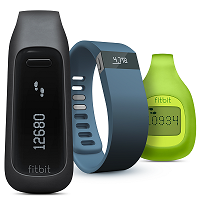
 I have been using the same FitBit for over two and a half years now so losing it would give me a great deal of angst. I have probably convinced dozens of friends and family to get their own FitBits and it sometimes baffles me when they say they can’t find theirs (I’m very OCD about checking my pocket probably once an hour for my FitBit, even if I have been sitting for an hour). So the obvious excuse, when I taunt them, is they “lost it” *sigh*
Well now that excuse is no longer valid. An update to the phone app a few weeks ago will now allow you to link multiple devices to one account, including your phone. You can now add your phone to your FitBit account as a “Mobile Tracker” and it will record your steps just as your FitBit would (granted I don’t know if the accuracy is the same).
If you don’t know how to hook up your phone as a tracker, I can help you out (unless you have already performed a search on Google and found the answer in the FitBit forums). You will need to have the FitBit app installed on your phone which you can get from the App Store or the Android Store.
Once you have the app installed and you have launched it:
- Tap on “Account” at the bottom of the screen.
- Tap “Set Up a New Fitbit Device” – which should be right in the middle of your screen.
- Tap on the “MobileTrack” option at the bottom and follow any additional prompts.
This should set your phone up as a tracker and it will only track the basics (i.e. it won’t track sleep, stairs, etc). I use this option when my FitBit is charging and I am still going to be somewhat active – because every step counts! Once it has finished charging (or you find your by gone FitBit) I would remove the phone, which I recommend as only one device can be tracking steps at a time. Steps from all devices will be aggregated on your FitBit account.
So there you have it. If you have lost your FitBit or its charging, and you have a phone that supports all the functionality of the app (I believe the FitBit app still has functionality issues on iPhone 4) then you no longer have an excuse for your lower rank on the leader boards 🙂
Keep Calm and Walk On!
 I am beyond upset with the folks at AOL (who, ironically, haven’t been relevant since the 90s). I just
  I could get so much more accomplished if I only had minions!
 You can ask anyone and they will tell you that I rarely cut Microsoft any slack. I have been working in Microsoft technologies for over 10 years now, and I’m pretty good at .NET development. People generally assume that if you make a career working in a technology then you should give the appropriate, unrelenting respect but that’s not how I work. I won’t swoon over every product Microsoft produces because I don’t agree that everything that comes out of Redmond is made of gold. (Also, for what its worth, I don’t swoon over Apple products either. I’m not getting online at 4 in the morning or standing in line outside the Apple store to buy the new iPhone just to have the new iPhone; that’s just not economically sane or reasonable. I swoon for no one … well, maybe except for Nathan Fillion but, come on, he’s
  Last week Apple unveiled the next iteration of their iPhone, which had the usual fanfare. Most of us, even those of us that are iPhone users, weren’t terribly blown away by the new iPhone 6 and iPhone 6 Plus features. It was all pretty standard (bigger screen, faster processor, better camera, etc). I think the best feature of the new iPhone is the addition of NFC technology (which apparently Samsung already had in their phones). I guess that’s the first sign that Apple is looking a lot like Microsoft this year, playing catch up. If you are not familiar with NFC, it stands for “near-field communication”, which means it basically allows you to use your phone to interact with other systems simply by its proximity (or waving in front of a reader of some sort).